How an SSD Stores Data Without Moving Parts
A solid-state drive keeps data in flash memory cells run by a small controller. See how cell types, wear levelling and write limits shape speed and lifespan.
In this article
A solid-state drive, or SSD, stores data in flash memory chips instead of on spinning disks. It has no moving parts, and a small processor called a controller decides where each piece of data goes. This article explains the memory cells, the controller's jobs, why flash wears out and how to read an endurance rating.
NAND flash: memory that keeps its data
According to Wikipedia, most SSDs use NAND flash, a type of memory that keeps its contents without power. The data is held in cells built from floating-gate transistors, a kind of transistor that can trap an electrical charge.
Ontrack, a data-recovery company, describes an SSD as made of many flash NAND cells, each able to take only a limited number of read and write operations. Rewriting a block that already holds data means reading it, erasing it, changing it and writing it back. That is slow and is the reason flash has a wear limit.
How many bits per cell
Cells can hold more than one bit. Wikipedia lists the common types, and the trade-off is the same each time: more bits per cell means lower cost per gigabyte, but slower and less durable.
- SLC stores 1 bit per cell: fastest and most durable, most expensive
- MLC stores 2 bits: a balance of cost, speed and endurance
- TLC stores 3 bits: cheaper, slower and less durable
- QLC stores 4 bits: cheapest, with the lowest performance and endurance
The controller does the thinking
Every SSD has an embedded processor running its own firmware. Wikipedia says the controller handles bad-block mapping, caching, error correction (such as BCH codes), garbage collection, wear levelling and thermal management. How well it does these jobs, and how many parallel channels it has to the flash chips, strongly affects speed.
The operating system on your computer does not see the physical layout. It asks for data at logical addresses, and the controller keeps a map from those addresses to the real place in the chips. That freedom is what lets the controller move data around behind the scenes.
Wear levelling
If a computer kept rewriting the same file, the same cells would wear out first. Wikipedia explains that wear levelling spreads writes and erases across all the blocks so none ages early, and that it moves rarely changed (cold) data off lightly used blocks so busy (hot) data can use them. Moving data internally means the drive writes more than the computer asked for, which is called write amplification.
Ontrack separates two methods. Dynamic wear levelling places new writes in the least-worn free blocks. It helps, but when a lot of data is stored, cells still age unevenly. Static wear levelling also moves data that stays put, so wear is spread across the full capacity of the chips.
Reading an endurance rating
Makers state endurance as drive writes per day (DWPD) or terabytes written (TBW). Wikipedia's example is a 1 TB Samsung 970 EVO rated at 600 TBW, which means the maker expects the drive to take about 600 terabytes of writing within its warranty terms, or about 600 full-drive rewrites. Check the datasheet of the drive you are looking at, because ratings differ widely between models.
Where SSDs differ from hard drives
A hard drive reads data with a head that moves over a spinning disk. An SSD reads electrically, so there is no seek time from head movement and no sound from moving parts. The cost is the wear limit described above, and the way deleted data is handled. Wikipedia notes that the TRIM command can erase or change the bits of a deleted file, which can make recovering deleted data harder than on a hard drive.
Neither type is best for everyone. Prices, sizes and speeds change often, so compare current figures from the makers rather than relying on a general rule.
Key points
- SSDs store data as trapped charge in NAND flash cells
- More bits per cell means lower cost but less speed and endurance
- A controller maps addresses, corrects errors and spreads wear
- Endurance is stated in TBW or DWPD on the maker's datasheet
Sources
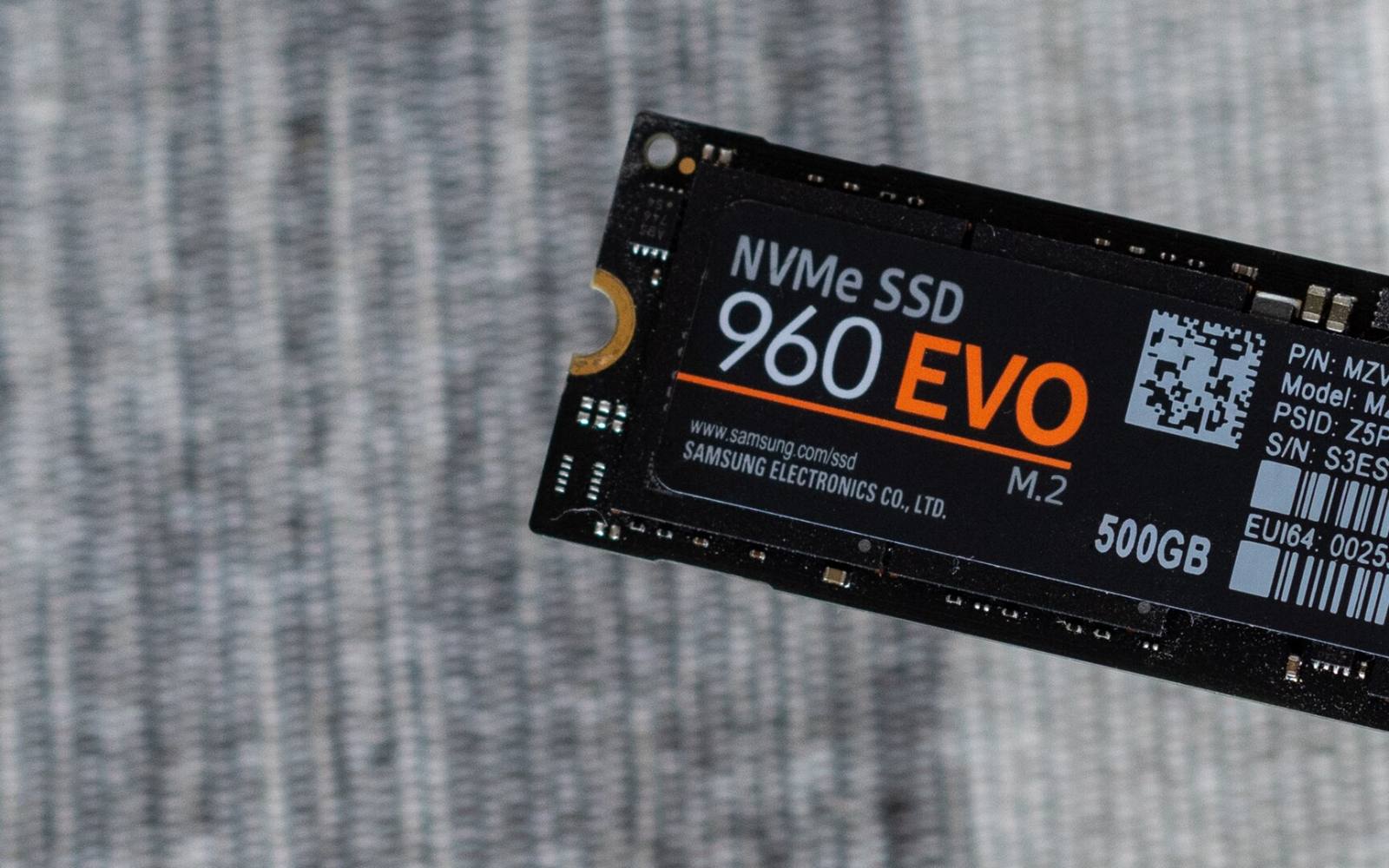
Image credits: Cover photo: Samsung 960 EVO NVME M.2 SSD by Daniel Aleksandersen by Daniel Aleksandersen, CC BY-SA 2.0. Pictures from Wikimedia Commons.

Share
Keep reading
Related articles
How Passkeys Work: Signing In Without a Password
A passkey replaces your password with a pair of cryptographic keys. The private half never leaves your device, so there is no secret to type, steal or reuse.
How GPS Works: Satellites, Clocks and Your Position
GPS finds your position by timing radio signals from satellites about 20,200 km up. Here is how the satellites, atomic clocks and your receiver fit together.